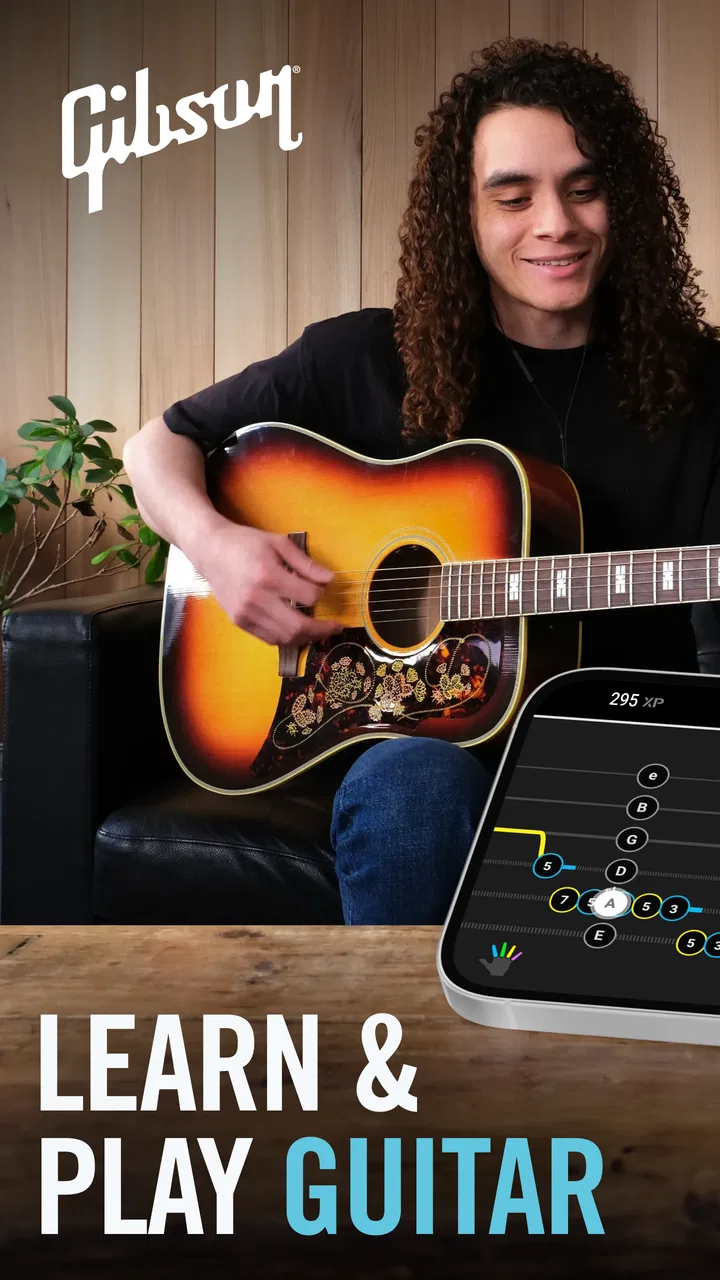
Gibson: Learn to Play Guitar
- 4.4
- Rating
- 100.00K
- Installs
- Free
- Price

 Analysis by App-foxy
I approached Gibson: Learn to Play Guitar as someone who wanted a practical way to turn an unattended guitar into a regular habit. The app sits in the Education category, and its central promise is easy to understand: it brings together guided guitar learning with tools such as a tuner, tabs, chords, and playing tips. In my experience, that combination matters more than having a huge library of isolated lessons, because a beginner usually needs help with the next small action rather than another wall of theory.
The most useful capability here is the way the app connects learning material with the physical tasks of playing. I can move from checking the instrument, to looking at a chord, to trying a short passage without having to assemble several unrelated resources. That makes it feel less like a reference book and more like a practice companion. It does not remove the need for patience or careful listening, but it gives the practice session a clearer shape.
That focus is reflected in its audience. The app is marked for Teen users, is free to start, and has optional purchases listed from around twenty dollars to over one hundred fifty dollars per item. It has reached over one hundred thousand installs and holds a 4.4 average from around three thousand ratings, which suggests that many people find the basic idea approachable even though the paid side deserves a closer look before committing.
You May Also Like

 Blood Strike: 2.5 Anniversary
Blood Strike’s Loadouts Turn Every Drop Into a Tactical Gamble
A close look at Blood Strike’s custom loadouts: how fast access to signature weapons reshapes its battle royale rhythm, rewards preparation, and narrows the gap between fights.

 Pandora - Music & Podcasts
Pandora’s Music Is Easy to Start, but Harder to Recover
Pandora’s strength is its low-effort path from a seed to a station. Its weak spot is how much confidence it asks you to place in connection, setup, and quiet recovery.

 8 Ball Pool
 Is Built on Rivalries, Rematches, and Routine
A close look at the rivalries, rematches, shared routines, and unanswered safety questions that turn a quick pool match into a persistent mobile community.

 Samsung Music
’s Quiet Strength Is Playing What You Already Own
Its reach comes less from spectacle than from dependable access to a personal library. That simplicity is both the app’s strongest retention engine and its ceiling.

 AccuWeather: Weather Radar
AccuWeather Review: A Quick, Clear Forecast for Everyday Decisions
For everyday plans, the best forecast is the one you can understand quickly. AccuWeather makes rain timing, radar, and local conditions easy to act on, with a few trade-offs.

 Hill Climb Racing
Why Hill Climb Racing Still Turns Crashes Into One More Run
A tiny car, a bumpy hill and one more upgrade: Hill Climb Racing keeps resurfacing because its simple chaos makes every near-miss feel personal.
More From Our News Desk



One learning path instead of a pile of guitar tools
What separates this app from simply searching for chord diagrams or watching random guitar videos is the attempt to keep the learner inside one workflow. A tuner helps prepare the instrument, chord material gives the fingers something specific to form, and tabs provide a way to approach music without requiring standard notation first. Those pieces are familiar individually, but together they reduce the number of decisions I have to make before playing.
That is especially valuable during the first weeks. Beginners often spend more time deciding what to practice than actually practicing. A standalone tuner can tell me whether the strings are in tune, but it cannot tell me what to do next. A video platform can show thousands of guitar lessons, but the choice can become distracting. A chord website may be quick for a single answer, yet it rarely provides a sense of progression. This app’s strength is the handoff between those needs.
I would not describe it as a replacement for a personal teacher. A teacher can notice tension in the wrist, correct a collapsing fingertip, adjust the pace instantly, and hear why a chord sounds muted. An app cannot offer that same level of physical observation. What it can do is make independent practice less vague, particularly when I already know that I want beginner-friendly structure and a handy collection of guitar basics in one place.
How the tools affect an ordinary practice session
My preferred way to use it is to begin with the tuner rather than jumping straight into a lesson. This small step prevents a common beginner problem: assuming a chord is wrong when the real issue is that the instrument is out of tune. Once the guitar is ready, I choose one narrow goal, such as changing between a couple of familiar chord shapes or following a short tab slowly. Keeping the goal narrow makes the app more useful than treating it as something to browse endlessly.
The chord material is most helpful when I use it as a movement exercise, not as a collection to memorize. I form the shape, check each string, release my hand, and repeat the change. If one string is muted, I adjust a finger instead of immediately blaming the app or the guitar. This is a practical distinction: the screen can show the target shape, but the improvement comes from listening to each string and noticing exactly where the contact goes wrong.
Tabs offer another useful entry point. For someone who finds notation intimidating, tab can make a first melody or riff feel reachable. I still need to watch timing, because numbers on lines do not automatically teach rhythm as clearly as hearing and copying a phrase. My advice is to use the tab as a map while counting slowly or tapping a foot. That turns it into a playing aid rather than a shortcut around musical timing.
The tips become more valuable when I treat them as corrections to a specific problem. Reading every hint passively is easy, but it rarely changes technique. If my chords buzz, I look for guidance related to finger placement and pressure; if changes are slow, I use the material to support repeated transitions. This problem-first approach is one of the less obvious ways to get more from the app: I use the information to diagnose a moment in practice instead of consuming it like a feed.
A realistic use case for a busy beginner
Imagine getting home with twenty minutes available and a guitar that has not been touched for several days. I would open the app, tune first, and choose one previously encountered chord transition rather than starting a completely new topic. For the first few minutes, I would form and release the shapes silently. Then I would strum slowly, listen for muted strings, and use the chord display to check the hand position. With the remaining time, I would try a short tab, stopping whenever the rhythm became uncertain.
This routine works because it has a beginning, middle, and end. Tuning removes a technical obstacle, chord work builds control, and tab gives the session a musical reason to continue. I would finish by repeating the hardest transition once more, not by opening several new lessons. The app is at its best in this kind of modest routine, where the goal is consistency rather than a dramatic promise of instant playing.
It also suits a learner who practices in different places. A guitar at home, a few quiet minutes during a break, or a weekend session can all use the same basic sequence. The important limitation is that the app cannot make a noisy or poorly timed environment disappear. Headphones may help with surrounding sound, but they do not replace listening closely to the acoustic result from the instrument itself.
Where the free starting point helps—and where it may not
Being free to start lowers the risk for a curious beginner. I can decide whether the teaching style fits me before treating the app as a serious long-term course. That matters because guitar instruction is personal: some people prefer a teacher speaking directly, others want diagrams and short tasks, and some learn best by copying songs. A no-cost entry makes it easier to test the workflow against my own attention span and playing goals.
The optional purchases are the main point where I would slow down. The listed range runs from around twenty dollars to more than one hundred fifty dollars per item, so the financial decision is not trivial. I would first establish a practice habit with the accessible material, then consider whether the additional learning content solves a real need. Buying everything immediately would be a poor strategy if I am still unsure whether I will pick up the guitar next week.
There is also a motivational trade-off in app-based learning. A polished lesson path can make practice feel organized, but it can tempt me to measure progress by how much content I have opened. Guitar progress is usually better judged by cleaner chord changes, steadier rhythm, and less hesitation. I would use the app to select exercises, then put the screen down and spend most of the time actually playing.
Comparison with the usual alternatives
Compared with a tuner-only app, this is clearly more useful for someone who wants instruction as well as setup. The tuner remains important, but it is only the first minute of a session. Compared with a tab-only resource, the broader combination is friendlier to a beginner who still needs help understanding chords and basic technique. Compared with free video lessons, the experience may feel less scattered because the tools sit closer together, although video can be better when I need to watch a hand from several angles.
A private instructor remains the stronger choice for fast, individualized correction. If I repeatedly cannot tell why a string is muted, or if my wrist and shoulders become uncomfortable, personal feedback is worth prioritizing. A more advanced guitarist may also prefer a specialist tab library, a metronome-focused practice tool, or a theory course that goes deeper than beginner material. The right comparison is not “which app wins,” but “which obstacle am I trying to remove?” This one is strongest when the obstacle is getting started and knowing what to practice next.
The developer behind the app is Zoundio AB, and the current version is 6.5.6. It runs on Android from version 8.0 onward. Those details make it accessible to people using older supported devices, but I would still keep the phone positioned where I can glance at it without twisting my neck or interrupting my grip. A screen placed too far away turns every chord check into a pause, while one placed too close can interfere with the instrument.
Small workflow changes that improve the experience
My first practical tip is to keep a paper note beside the guitar with only three items: the chord change I am working on, the tab section I want to revisit, and one physical reminder such as “relax the thumb.” The app supplies the reference, but the note keeps me from repeatedly reopening screens and losing momentum. It also makes progress visible without confusing lesson completion with actual improvement.
Second, I would separate accuracy practice from speed practice. When learning a chord shape through the app, I begin slowly enough to inspect every string. Only after the shape sounds clean do I increase the pace. This prevents a common trap in which I repeat a fast, sloppy movement until the mistake becomes automatic. The app can guide the target, but I have to decide when the movement is ready to become faster.
Third, I would use tabs after warming up with chord changes, not before, if my hands feel stiff. A short sequence of relaxed movements can make the later tab attempt less frustrating. On the other hand, if chords are the part I dislike, starting with a simple tab can provide a musical reward and make it easier to return to the less exciting exercise. This is where the app’s mixed toolkit helps: I can change the entry point without abandoning the overall guitar-learning routine.
Finally, I would listen for progress away from the screen. Recordings are not necessary for every session, but occasionally hearing the same transition after several days can reveal improvement that is hard to notice in real time. The app gives me material to practice; my ears remain the judge. That distinction keeps the experience grounded and avoids expecting the interface to certify every small gain.
Who benefits most from this particular approach
I think the best match is a complete beginner who owns or has access to a guitar and wants a guided starting point without immediately arranging lessons. It is also a good fit for someone returning after a long break, especially if the basics feel rusty and a tuner, chord reference, and tabs are more convenient together than in separate apps. The free entry makes it sensible for testing that fit before spending money.
It is less suitable for a player who already reads music comfortably, knows a wide range of chords, and mainly needs advanced arranging, improvisation, or detailed feedback on technique. It may also frustrate someone who expects the app to listen to every note and correct mistakes automatically. The learning still depends on my attention, my ears, and the quality of my repetition. No collection of diagrams can replace those three things.
For families, the Teen content rating is worth noticing before handing the device to a younger player. For a teenager or adult beginner, the rating should not be a barrier, but it is still sensible to consider the optional purchase range and decide whether the app will be used consistently. A free download is only good value if it leads to regular playing rather than another unused icon.
My recommendation after using its core idea
I recommend Gibson: Learn to Play Guitar to beginners who want one place to tune, study chords, approach tabs, and receive practical learning guidance. Its real advantage is not any single tool; it is the reduced friction between preparing the guitar and making a purposeful attempt. That makes a short session easier to begin and easier to repeat, which is more important than an impressive first-day burst of enthusiasm.
I would approach the paid options carefully, use the free starting point to test the teaching style, and keep expectations realistic about technique correction. If I wanted a teacher’s eyes, a highly specialized advanced course, or a deep song database above all else, I would choose a different solution or add one alongside it. But for the person who keeps asking, “What should I practice when I pick up the guitar?”, this app gives that question a useful, concrete answer.
My final view is positive, with one condition: treat it as a practice framework rather than a magic shortcut. Tune deliberately, work on one transition at a time, use tabs with attention to rhythm, and let your ears—not the number of lessons opened—decide whether you are improving. Used that way, this Education app feels approachable, practical, and genuinely helpful for building the first reliable guitar habit.
FAQs for Gibson: Learn to Play Guitar
01What is Gibson: Learn to Play Guitar?
Gibson: Learn to Play Guitar is an instructional app designed to help beginners and developing guitarists practice more effectively. It offers guided lessons, song-based learning, technique exercises, and visual demonstrations that can be followed on an acoustic or electric guitar. The app is intended to make practice more structured, approachable, and engaging than learning from random online videos.
02Is Gibson: Learn to Play Guitar suitable for complete beginners?
Yes, the app is generally suitable for people who are picking up a guitar for the first time. Lessons typically introduce essential fundamentals such as tuning, posture, chord shapes, strumming, rhythm, and basic song playing in a progressive way. Beginners should still expect to practice regularly, since the app can explain and demonstrate techniques but cannot replace the time needed to build finger strength and coordination.
03Does Gibson: Learn to Play Guitar include real songs and different learning paths?
The app focuses on learning through practical guitar material, including recognizable songs, guided exercises, and lessons that develop specific playing skills. Depending on the available version and subscription plan, users may find content covering chords, riffs, scales, rhythm, lead guitar, and other techniques. The song library and lesson catalog can change over time, so checking the current in-app offering is recommended.
04Do I need a guitar, extra equipment, or an internet connection to use the app?
You need a physical guitar to practice the techniques demonstrated in the lessons, but most users can begin with a standard acoustic or electric guitar. An electric guitar may require an amplifier, although many basic exercises can be practiced without one. The app may also use your device microphone for tuning or feedback features. Internet access is normally required for downloading lessons, streaming content, syncing progress, and receiving updates.
05Is Gibson: Learn to Play Guitar free, and are there subscriptions or in-app purchases?
The app may be available to download without an upfront charge, but access to its complete lesson library, premium courses, songs, or advanced features can depend on a subscription or other in-app purchases. Before starting a trial, review the price, renewal period, cancellation rules, and account requirements shown in your app store. Some features or content may remain available without paying, but the full experience is typically designed around premium access.
Pros
- Clear
- beginner-friendly lessons with easy-to-follow instructions.
- Practice tools help users build chords
- rhythm
- and basic guitar habits.
- Short learning sessions make it convenient to practice daily.
- Suitable for learners who prefer guided lessons over random tutorials.
- Can help beginners stay motivated with a structured learning path.
Cons
- Advanced players may find the lesson content too basic.
- Progress depends on having access to a real guitar for practice.
- Some features or lessons may require a paid subscription.
- The app may not cover every playing style or advanced technique.
- Audio and video quality can vary depending on your device and connection.

Gibson: Learn to Play Guitar
Gallery